Interactive Exercises
Simulations
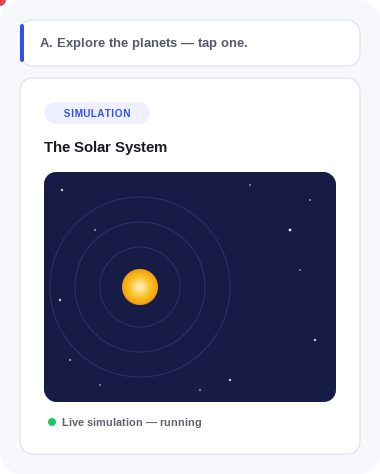
Give learners a live model to explore instead of a static question — an interactive solar system, a chemistry reaction, a physics setup. Learners manipulate variables and see the result directly, building intuition through direct interaction rather than recall.
Key Features
Everything you need
built in.
Simulations comes with powerful features designed for modern learning experiences.
Continuous, always-running simulation — not a static image
Tap or click any element to reveal live data
Built from your existing diagrams and explanations
Works on smartboard, web and mobile
Use Cases
Perfect for
real scenarios.
See how educators and content creators use Simulations in practice.
01
Science: solar system, cell structure, circuits
02
Business: market dynamics, decision scenarios
03
Process training with step-by-step live walkthroughs
Preview
See an example.
Explore the layout of Simulations.
Preview the format
The example shows the module layout. In Pabli Editor, preview your own content as a learner.
Open the previewTechnical Details
Preview and publish.
Review the activity with your content before choosing how to deliver the lesson.
Browser Preview
Check how your activity looks and behaves in learner preview on the devices you plan to use.
Interaction Review
Try the activity's controls, instructions and answer behaviour before sharing it with learners.
Publishing Options
Publish the lesson to an authorised Pabli LMS workspace or download a Web ZIP for compatible web hosting.
Assigned Lesson Progress
For content assigned in Pabli LMS, review the progress available for that assignment.
Ready to create your first Simulations?
Build an activity from a sample page, inspect the questions and answers, and try it in learner preview.