Assessment Modules
Single Selection Quiz
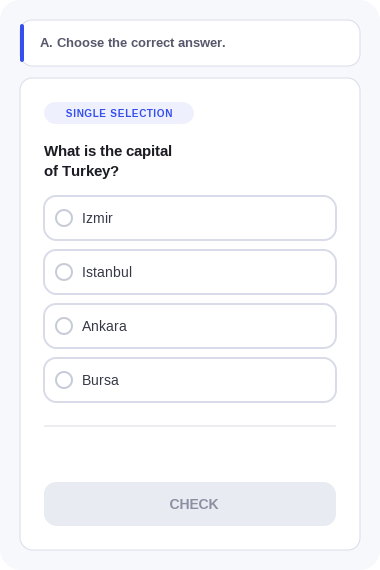
Create engaging multiple-choice assessments where students select one correct answer from multiple options. Perfect for knowledge checks, comprehension tests, and formative assessments.
Key Features
Everything you need
built in.
Single Selection Quiz comes with powerful features designed for modern learning experiences.
Rich text support for questions and answers
Image and audio integration
Customizable feedback messages
Attempt limits and scoring
Flexible list styling (numbered, alphabetical)
Use Cases
Perfect for
real scenarios.
See how educators and content creators use Single Selection Quiz in practice.
01
Reading comprehension tests
02
Vocabulary assessments
03
Grammar knowledge checks
04
Subject matter quizzes
Preview
See an example.
Explore the layout of Single Selection Quiz.
Preview the format
The example shows the module layout. In Pabli Editor, preview your own content as a learner.
Open the previewTechnical Details
Preview and publish.
Review the activity with your content before choosing how to deliver the lesson.
Browser Preview
Check how your activity looks and behaves in learner preview on the devices you plan to use.
Interaction Review
Try the activity's controls, instructions and answer behaviour before sharing it with learners.
Publishing Options
Publish the lesson to an authorised Pabli LMS workspace or download a Web ZIP for compatible web hosting.
Assigned Lesson Progress
For content assigned in Pabli LMS, review the progress available for that assignment.
Ready to create your first Single Selection Quiz?
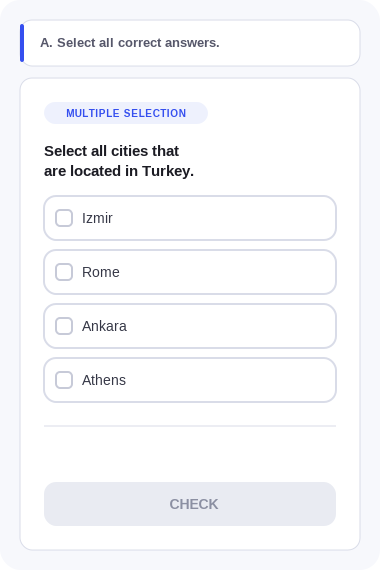
Build an activity from a sample page, inspect the questions and answers, and try it in learner preview.