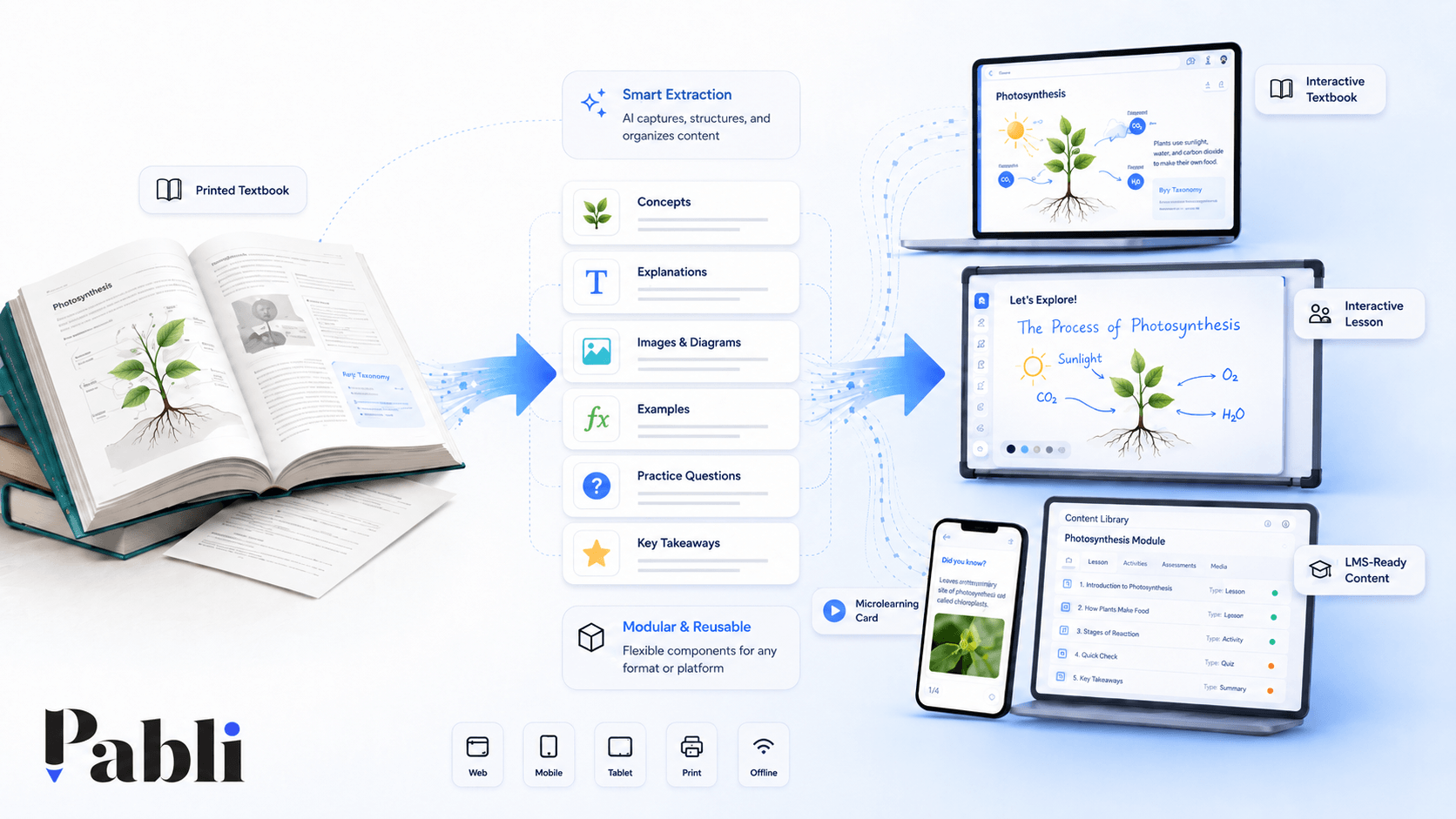
Transforming a printed textbook into an interactive learning experience begins with defining the learning objectives and intended use cases. The content can then be divided into reusable modules, enriched with suitable interactions, media and feedback, adapted to different devices and tested with real users.
For that reason, the process does not begin by scanning the book. It begins by reviewing the book as a learning system.
What is being taught? Where are learners likely to struggle? Which sections require teacher explanation? Which concepts could be visualised? Which activities could be completed collectively in the classroom? Which parts are better suited to individual study?
A successful digital transformation is built around the answers to these questions.
Digitising a textbook is not the same as redesigning it
Textbook digitisation is often treated as a technical process.
Pages are converted into PDFs, placed inside a viewer and connected to selected videos or questions. The resulting product is then described as a digital textbook.
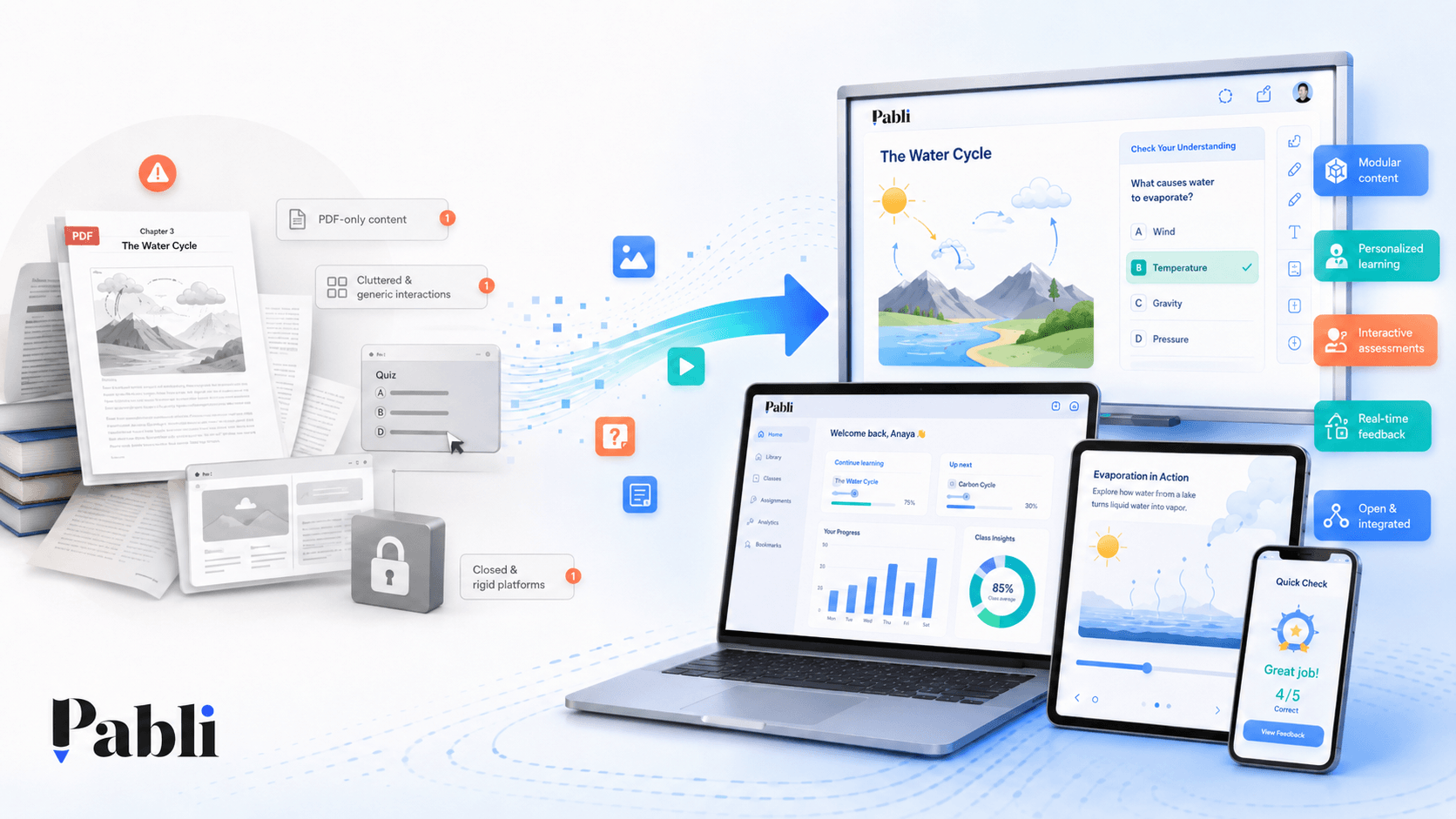
This approach makes the content accessible on screen, but it does not substantially change the learning experience.
Creating an interactive textbook requires the content to be restructured around the possibilities of a digital environment.
A printed page may contain an explanation, illustration, example and question in the same fixed layout. In a digital experience, these elements can appear at different stages or respond to learner actions.
A worked example might be redesigned so that:
- The learner first sees only the question.
- They are asked to make a prediction.
- An initial hint becomes available.
- The solution is revealed one step at a time.
- A common mistake is explained.
- A similar question is recommended.
The underlying subject matter has not changed. The learner’s relationship with it has.
1. Define the use case
The same textbook may be used in very different learning environments.
A mathematics textbook, for example, could be:
- Presented by a teacher on an interactive whiteboard.
- Used independently by a learner at home.
- Assigned through an LMS.
- Divided into microlearning lessons for mobile use.
- Converted into topic-based assessments.
- Enhanced with teacher-only resources.
Each use case requires a different experience.
For interactive whiteboard use, the teacher needs to control the flow while the entire class can clearly see the content.
For mobile use, learners need short content blocks, comfortable navigation and the ability to continue where they left off.
For LMS delivery, the organisation may need to track completion, responses and progress.
Before design begins, the following questions should be answered:
- Who will use the content?
- Where will it be used?
- Will the experience be teacher-led?
- Will learners complete it independently?
- Does learner performance need to be tracked?
- Should the content work offline?
- Will the same material be used across multiple products?
- How frequently will it need to be updated?
Starting design before these decisions are made often leads to unnecessary redevelopment later.
2. Create a content inventory
Not every page needs to become interactive.
The first step is to analyse the structure of the book and classify its content.
A unit may include:
- Unit introductions
- Learning objectives
- Main explanations
- Concept definitions
- Images
- Tables
- Formulae
- Worked examples
- Learner activities
- End-of-unit questions
- Answer keys
- Additional resources
This inventory helps determine which elements can be used directly and which need to be redesigned.
A long explanation can be divided into shorter sections.
A table can become filterable or comparative.
A worked example can be revealed step by step.
A question set can become an assessment module.
An illustration can become a layered visual with interactive information points.
A content inventory also supports budget and production planning. It shows which sections require custom animation or video and which can be created through reusable interaction components.
3. Transform pages into modules
The natural unit of a printed textbook is the page. The natural unit of flexible digital content is the module.
A module is a self-contained content component with a specific purpose that can be reused in other contexts.
A unit on quadratic equations, for example, could be divided into:
- A concise topic introduction
- Key concepts
- The components of the formula
- A step-by-step worked example
- A common-error explanation
- An interactive practice activity
- A short assessment
- Explanatory feedback
- Additional practice
This structure allows the topic to move beyond a single textbook chapter.
The same modules can be:
- Used in an interactive textbook.
- Added to an interactive whiteboard lesson.
- Combined into a microlearning experience.
- Reused as revision before an assessment.
- Adapted for different learner levels.
- Included in a future publication.
A modular approach is particularly valuable for publishers with large catalogues.
Instead of rebuilding the same core concept for multiple books, the content can be stored in a central library and reused where appropriate.
4. Choose the right digital experience for each section
One of the most important decisions in the transformation process is choosing the right format for each learning objective.
Turning every explanation into a video or every question into a drag-and-drop activity is rarely effective.
The format should follow the learning purpose.
For concept learning
- Flashcards
- Layered visuals
- Concept maps
- Matching activities
- Examples and non-examples
- Expandable explanations
For process learning
- Step-by-step explanations
- Sequencing activities
- Timelines
- Animations
- Flowcharts
- Process simulations
For problem-solving
- Progressive solutions
- Hint systems
- Error analysis
- Alternative solution methods
- Examples with adjustable variables
- Solution-sequencing activities
For knowledge checks
- Multiple-choice questions
- True-or-false questions
- Fill-in-the-gap activities
- Short-answer questions
- Knowledge games
- Quick classroom polls
For application and exploration
- Simulations
- Virtual experiments
- Scenario-based decisions
- Interactive graphs
- Role-based activities
- Real-world case studies
The goal is not to keep learners constantly clicking.
It is to encourage the right mental process at the right point in the learning experience.
5. Plan the use of multimedia
Digital environments make it possible to use media that cannot be embedded directly in a printed textbook.
However, media takes time and budget to produce, so each element should have a clear function.
Audio
Audio can support pronunciation, listening comprehension, dialogue, emphasis, music and accessibility.
In a language textbook, hearing the pronunciation of a word adds direct value. Turning a long explanation into a simple audio recording may be less useful unless the listening format supports the learning context.
Video
Video can demonstrate procedures, experiments, case studies, expert explanations and real-world applications.
It is particularly valuable when the subject is difficult to observe or reproduce in the classroom.
Animation
Animation can explain movement, transformation, cause and effect or multi-stage processes.
Cell division, geometric transformations and mechanical processes can often be understood more easily through animation than through a single static image.
Simulation
Simulations allow learners to adjust variables and observe different outcomes.
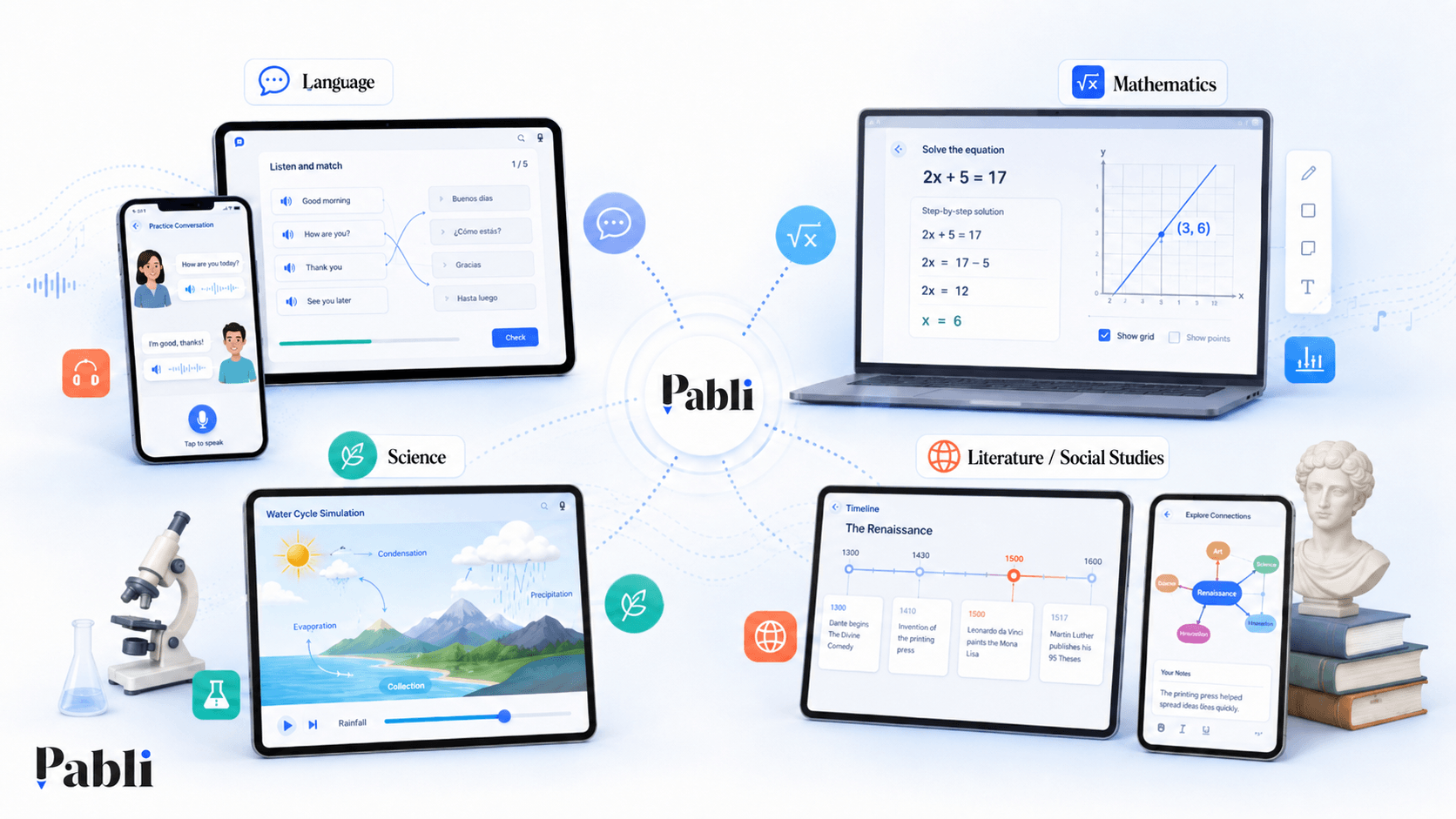
In science, learners might change temperature or pressure. In mathematics, they might adjust coefficients and observe how a graph responds.
Before adding any media element, ask:
What will this help the learner understand more clearly?
When there is no clear answer, the media may not be necessary.
6. Go beyond correct and incorrect feedback
One of the strongest advantages of interactive content is its ability to respond immediately to learner actions.
Yet many digital activities provide only two types of feedback:
- Correct
- Incorrect—try again
These messages do not help learners understand why they made a mistake.
More effective feedback can:
- Explain why an answer is incorrect.
- Direct the learner to the relevant concept.
- Provide a short hint.
- Identify a common misconception.
- Reveal the correct method progressively.
- Offer an alternative example.
When a learner selects the wrong operation in a mathematics problem, the content can explain which rule was overlooked instead of merely marking the answer as incorrect.
Interaction becomes educationally meaningful not when the learner selects an answer, but when the response helps them understand and improve.
7. Adapt the experience to each device
A single content source can support multiple devices, but using exactly the same interface everywhere rarely produces a good experience.
For interactive whiteboards
- Large text and controls
- Elements that remain visible from the back of the classroom
- A limited number of clear controls
- Fast access to teaching tools
- Activities designed for whole-class participation
- Simple transitions between pages and resources
For mobile devices
- Short content blocks
- Portrait-oriented layouts
- Controls suitable for one-handed use
- Smaller file sizes
- Continue-from-last-position functionality
- Individual feedback
For desktop and web
- Larger workspaces
- Quick navigation between resources
- Multi-panel layouts
- Access to more detailed material
- Editing and production tools
Responsive design is not only about fitting content onto a smaller screen.
It is about designing for the way the user behaves on each device.
8. Decide how the content will be distributed
The distribution model should be considered before production is complete.
Content may be:
- Shared directly through Pabli.
- Published on an organisation’s website.
- Added to an interactive whiteboard application.
- Delivered through an LMS.
- Exported as HTML5 or SCORM.
- Shared with selected user groups.
- Assigned to learners as coursework.
The distribution model also affects assessment and reporting requirements.
If the content only needs to be viewed, a simple link may be sufficient.
If the organisation needs to track completion, responses or learner progress, LMS integration and standards-based exports become more important.
9. Test the experience with real users
Technical functionality does not guarantee classroom usability.
The content should be piloted with real teachers and learners.
During testing, teams can observe:
- Can the teacher reach the relevant resource quickly?
- Is the activity instruction immediately clear?
- Do learners understand what they are expected to do?
- Are interactive whiteboard elements large enough?
- Does the resource support the pace of the lesson?
- Is the feedback understandable?
- Are loading times acceptable?
- Does the content work reliably across devices?
- Can the teacher return to the main lesson easily after an activity?
The purpose of a pilot is not simply to ask users whether they liked the product.
It is to identify problems that emerge in real use.
When teachers do not use a particular feature, the reason may be that they do not need it, cannot find it or feel that it interrupts the flow of the lesson.
Example: transforming a mathematics unit
Imagine an eight-page printed chapter on quadratic equations.
In a digital environment, it could become:
- A short microlearning introduction
- An interactive visual explaining the parts of an equation
- An animation revealing the formula step by step
- A graph simulation with adjustable coefficients
- A worked example for whole-class use
- A short activity focused on common mistakes
- An individual assessment
- Feedback that responds to learner answers
- Additional examples for the teacher
- A SCORM package that can be assigned through an LMS
The subject matter remains the same. What changes is the number of experiences and channels it can support.
This is also where the economic value of digital transformation becomes visible: content that is structured once can be reused across multiple products and environments.
How does Pabli make this process easier?
Traditional production often requires long workflows between editors, designers and software developers.
Each new interaction or format may require additional development. Even a minor content update may depend on a technical team.
Pabli separates content production from software development, making the process easier to manage.
Existing documents can be imported, divided into modules and transformed into suitable interactive formats with AI-assisted workflows.
Content can then be enriched with media and published for different devices and environments.
This enables publishers and education providers to:
- Avoid developing a separate application for every book.
- Update content through their own teams.
- Reuse the same modules across products.
- Reduce production time.
- Expand their digital product portfolio.
- Retain control of their content.
Conclusion
Turning a printed textbook into an interactive digital resource involves much more than adding links to pages.
A successful transformation requires clearly defined use cases, modular content, suitable interactions, meaningful feedback, device-aware design and real-world testing.
The goal is not to create a digital copy of the book.
It is to transform the knowledge within the book into a range of effective learning experiences.
With Pabli, a textbook becomes more than a set of pages on a screen. It can become an interactive textbook, a classroom whiteboard experience, a microlearning lesson and a measurable digital learning resource.
Frequently Asked Questions
How long does it take to make a textbook interactive?
The timeline depends on the length of the book, the subject matter, the number of interactions and the amount of custom media required. Modular production and reusable templates can reduce production time significantly.
Does every page need to include an interaction?
No. Interactions should be used where they support a learning objective. Unnecessary interactions can distract learners and slow down the teacher’s lesson flow.
Can printed and interactive textbooks be used together?
Yes. The formats do not need to compete with each other. The printed book can remain the primary reference while the interactive version supports explanation, practice, multimedia and assessment.
Can existing PDFs be used?
Yes. Existing PDFs can provide the source material for the transformation process. However, the content still needs to be analysed and converted into structured, interactive modules.
Can the content be updated later?
When content is modular and separated from the underlying software, texts, questions, images and interactions can be updated without rebuilding the application.